Showing posts with label Journals. Show all posts
Showing posts with label Journals. Show all posts
Wednesday, 20 February 2008
Update: Check citations for ACS journals
Just a quick word to say that I've updated my citation checker to handle ACS formats that don't include titles, e.g. JACS, Inorg. Chem. and so on...but maybe wait a while before testing - CrossRef seems to be down at the moment.

Friday, 15 February 2008
Check citations for ACS journals using PubMed and CrossRef
I recently described a citation format checker for ACS journals. Now I present a web page that allows you to check your actual references, not just the format. This is powered by PubMed (using BioPython) and CrossRef (explained here), currently the only two publicly available sources of journal metadata for Biology and Chemistry journals.
Simply copy your footnotes from your Word document, paste into the form in the ACS citation checker, and click "Check". This will check just the first reference; repeated clicks on "Check" will check each reference one after the other.
Although CrossRef recently (see comments here and here) improved the quality of the metadata it supplies over its public API, where the metadata is also available in PubMed, PubMed typically wins out (e.g. CrossRef is missing the title for several of the papers in my test case).
I have set up this service for ACS publications. If you're interested in setting this up for other journals, perhaps we could collaborate on sharing code, etc. Of course, if you're a publisher and wish to improve the quality of the references submitted, feel free to make me an offer I can't refuse. :-)
Simply copy your footnotes from your Word document, paste into the form in the ACS citation checker, and click "Check". This will check just the first reference; repeated clicks on "Check" will check each reference one after the other.
Although CrossRef recently (see comments here and here) improved the quality of the metadata it supplies over its public API, where the metadata is also available in PubMed, PubMed typically wins out (e.g. CrossRef is missing the title for several of the papers in my test case).
I have set up this service for ACS publications. If you're interested in setting this up for other journals, perhaps we could collaborate on sharing code, etc. Of course, if you're a publisher and wish to improve the quality of the references submitted, feel free to make me an offer I can't refuse. :-)
Wednesday, 13 February 2008
Which are worse? PubMed metadata or CrossRef metadata?
Tough call, eh? :-)
Given a DOI, CrossRef's OpenURL won't give you any author except the first author, and won't give you the end page of an article. In other words, it won't give you enough information to create a citation for a paper.
And PubMed? PubMed will give you all the authors, though it truncates them all to two initials. If you want the full journal name, you will have to capitalise it yourself, which isn't trivial to do automatically (e.g. "Journal of the american chemical society"); if you want the journal abbreviation, you will have to insert the periods yourself, which again isn't quite trivial (it's not just a question of sticking a period in front of everything in sight).
My favourite thing of all about PubMed is that even where a paper is in PubMed and where the paper has a DOI, the DOI mightn't be in PubMed (e.g. doi://10.1016/j.jmb.2003.08.006 and PMID 14499606). Nice. This last one means that to get PubMed metadata relating to that DOI, you need to first look up CrossRef, and then use that metadata (i.e. journal, year, volume and startpage) to look up PubMed.
So, which do I think is worse? CrossRef - but only because it doesn't give enough information to create a citation.
Given a DOI, CrossRef's OpenURL won't give you any author except the first author, and won't give you the end page of an article. In other words, it won't give you enough information to create a citation for a paper.
And PubMed? PubMed will give you all the authors, though it truncates them all to two initials. If you want the full journal name, you will have to capitalise it yourself, which isn't trivial to do automatically (e.g. "Journal of the american chemical society"); if you want the journal abbreviation, you will have to insert the periods yourself, which again isn't quite trivial (it's not just a question of sticking a period in front of everything in sight).
My favourite thing of all about PubMed is that even where a paper is in PubMed and where the paper has a DOI, the DOI mightn't be in PubMed (e.g. doi://10.1016/j.jmb.2003.08.006 and PMID 14499606). Nice. This last one means that to get PubMed metadata relating to that DOI, you need to first look up CrossRef, and then use that metadata (i.e. journal, year, volume and startpage) to look up PubMed.
So, which do I think is worse? CrossRef - but only because it doesn't give enough information to create a citation.
Tuesday, 30 October 2007
A few brief words about journal names

Perhaps you do as I do; in that last-minute tidy up of citations, I google "journal abbreviations" and try to find suitable abbreviations for the last few remaining articles. Or sometimes I spend a quiet afternoon searching through the list of citations in recent articles from that journal just to find how out to cite that particular journal!
But sometimes a little voice inside me cries "Why!" - why am I wasting the best years of my life solving the non-problem that is how to abbreviate the title of a particular journal? Don't journals want to be cited correctly? In this age of electronic linking of data, misspelling the journal abbreviation could mean that a citation to a particular journal would be missed. Since journals seem to think that Impact Factors are so important, couldn't they at least give some hint what abbreviation they think you should use?
So, on to my favourite part: "The Case Study", aka "The one that pushed me over the edge". I wanted to cite a paper from Nucleic Acids Research. This is commonly known (to me) as NAR. Indeed, the website, is nar.oxfordjournals.org. And the blurb on the front page says "Nucleic Acids Research (NAR) is a fully Open Access journal". Fantastic, NAR must be the accepted journal abbreviation. Job done.
Just to be sure, let's check the Instructions for Authors. Here they give an example of how they wish references to be formatted. The great thing is that the examples they give are from NAR:
1. Schmitt,E., Panvert,M., Blanquet,S. and Mechulam,Y. (1995) Transition state stabilisation by the 'high' motif of class I aminoacyl-tRNA synthetases: the case of Escherichia coli methionyl-tRNA synthetase. Nucleic Acids Res., 23, 4793-4798....but wait a second, that's "Nucleic Acids Res." not "NAR"!
Now our curiosity (aka annoyance) is piqued, so let's check out the current issue of Nucleic Acids Research. But what's that in the title of the page, "Nucl. Acids Res. -- Table of Contents...".
So NAR, or "Nucl. Acids Res." or "Nucleic Acids Res."? And don't even get me started on why journals require these abbreviations in the first place even if they are web-only...
Image credit: Raistrick's Index to Legal Citations and Abbreviations by ex_libris_gul (CC BY-NC-SA 2.0)
Wednesday, 5 September 2007
Scooby, D. D., where are you? - Searching for papers online
One of my pet annoyances is searching on a journal website for an article that I know exists, but not being able to find it. Let's take a real-life example...
I met Douglas Hawkins at the ACS and wanted to look up his papers in JCIM/JCICS. I've bookmarked the JCIM TOC page, so I go there. At the top is a handy little shortcut for finding papers by a particular author. So I type in "Hawkins" next to the Author drop-down box, and click "Search"...
10 documents. Of which half are Douglas Hawkins (the right guy), and the other half are Donald Hawkins (the wrong guy). In addition, both JCIM and JCICS were searched. Great. This is where I should have stopped. Instead I decided I only wanted to find those papers by Douglas Hawkins. The following are my attempts to find his papers:
Hawkins, D. M.: 7 article. All false positives.
Hawkins D M: ditto
"Hawkins, D. M.": 0 documents
D M Hawkins: It's my favourite 7 articles again.
D Hawkins: 24 articles. No articles by D. M. Hawkins included.
But how can I have found 24 articles for the last search? That's more than I found with just "Hawkins". Wait a second, I've been moved onto the "Advanced Article Search" page, which is searching all of the journals. So what did it find instead? It found "...Mass, J. D.; Hawkins, A. R.;". Pretty advanced searching, eh?
Thankfully, I happen to know that unlike most chemistry journals, the ACS has contributed data to PubMed. So off I go, and try:
Hawkins, D. M.: first hit contains "M. M. Hawkins"
DM Hawkins: first hit contains "Hawkins EC"
Hawkins DM: jackpot!
Now I just want those papers where Basak is a co-author:
Hawkings DM Basak: jackpot!
Incidentally, this is the first time that Pubmed has ever worked for me. This is because I always try "DM Hawkins Basak" which gives no hits (even after reading the instructions I was never able to find anything). As for how to limit the results to a particular journal? Why isn't there a drop-down box with a list of journals? Why do I have to read the instructions for the obscure syntax used by PubMed every time I want to find a paper?
What about Google scholar? "DM Hawkins" or "D. M. Hawkins" gives 1700 hits, of which the first page at least are true positives. Advanced Search allows me to specify the journal, and I get 1 hit with "J Chem Inf Comput Sci", a different hit for "J Chem Inf Comp Sci" (of which there are 5 versions, one of which has "Comput Sci" instead of "Comp Sci") and 1 for "J Chem Inf Model". In fact, Hawkins has 3 papers in JCICS and 2 in JCIM. You look good Google, but you're not trying very hard.
Searching by author should be easy. It's not quantum mechanics. It's not even rocket science. Can't they make it work better?
I met Douglas Hawkins at the ACS and wanted to look up his papers in JCIM/JCICS. I've bookmarked the JCIM TOC page, so I go there. At the top is a handy little shortcut for finding papers by a particular author. So I type in "Hawkins" next to the Author drop-down box, and click "Search"...
10 documents. Of which half are Douglas Hawkins (the right guy), and the other half are Donald Hawkins (the wrong guy). In addition, both JCIM and JCICS were searched. Great. This is where I should have stopped. Instead I decided I only wanted to find those papers by Douglas Hawkins. The following are my attempts to find his papers:
Hawkins, D. M.: 7 article. All false positives.
Hawkins D M: ditto
"Hawkins, D. M.": 0 documents
D M Hawkins: It's my favourite 7 articles again.
D Hawkins: 24 articles. No articles by D. M. Hawkins included.
But how can I have found 24 articles for the last search? That's more than I found with just "Hawkins". Wait a second, I've been moved onto the "Advanced Article Search" page, which is searching all of the journals. So what did it find instead? It found "...Mass, J. D.; Hawkins, A. R.;". Pretty advanced searching, eh?
Thankfully, I happen to know that unlike most chemistry journals, the ACS has contributed data to PubMed. So off I go, and try:
Hawkins, D. M.: first hit contains "M. M. Hawkins"
DM Hawkins: first hit contains "Hawkins EC"
Hawkins DM: jackpot!
Now I just want those papers where Basak is a co-author:
Hawkings DM Basak: jackpot!
Incidentally, this is the first time that Pubmed has ever worked for me. This is because I always try "DM Hawkins Basak" which gives no hits (even after reading the instructions I was never able to find anything). As for how to limit the results to a particular journal? Why isn't there a drop-down box with a list of journals? Why do I have to read the instructions for the obscure syntax used by PubMed every time I want to find a paper?
What about Google scholar? "DM Hawkins" or "D. M. Hawkins" gives 1700 hits, of which the first page at least are true positives. Advanced Search allows me to specify the journal, and I get 1 hit with "J Chem Inf Comput Sci", a different hit for "J Chem Inf Comp Sci" (of which there are 5 versions, one of which has "Comput Sci" instead of "Comp Sci") and 1 for "J Chem Inf Model". In fact, Hawkins has 3 papers in JCICS and 2 in JCIM. You look good Google, but you're not trying very hard.
Searching by author should be easy. It's not quantum mechanics. It's not even rocket science. Can't they make it work better?
Monday, 4 June 2007
Add to Connotea from Journal Pages
If you regularly read journal Table of Contents pages and want an easy way to keep track of papers you find interesting, you may want to try my "Add to Connotea" Greasemonkey script.
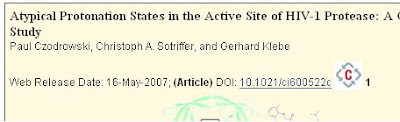
To use it, you first need to have a Connotea account. When you navigate to a journal web page for the first time after you have started your browser, you will need to enter your Connotea username and password.
The script adds an "Add to Connotea" link next to every DOI on journal pages. If you click on this, a dialog box appears that allows you to bookmark the paper on Connotea. A useful feature is the ability to quickly select from tags that you have already used. The "Add to Connotea" script also displays a count of the number of people who have already bookmarked a particular paper. If you click on this number, it will bring you to the Connotea page for that paper.
Why use Connotea inside of just bookmarking a paper, or saving it on your computer? Here's why I do: adding to Connotea is 'cheap'. I'm a lazy bookmarker; now that my bookmarks have reached the bottom of the my screen I've given up. Arranging into folders is too much hassle for my busy lifestyle. Now I can tag a paper with "Read me later", or "Journal club", and I will actually be able to find them later. Bookmarks are available from any browser; you can bookmark from home, and read the paper later from work. Your computer may explode (not due to my Greasemonkey script, I hope), but your bookmarks will still exist. Another nice thing is that Connotea is part of Web 2.0 - it provides an API that allows it to be used in mashups; like this Greasemonkey script!
There is also the 'social' side to 'social bookmarking'. I have already mentioned that the "Add to Connotea" script keeps a count of how many people have bookmarked a particular article; this may indicate that a particular article is worth reading. There are people who track all articles posted with particular tags, e.g. "evolution", to keep up to date with the latest articles, but I'm not sure how useful this is in chemistry. Also, you may want to keep up to date with what all the kool kids are reading, in which case you may want to track what articles your friends are bookmarking (note: all bookmarks are generally public, but you can opt to make them private). Connotea allows you to add a description and/or a comment to an article, but while this seems like a neat idea (e.g. for posting a reviews), it does not seem to be used that much and in fact, seems to suffer from link spam (see here).
I should point out that Connotea also provides a bookmarklet that you can click after selecting a DOI. While the bookmarklet is the only option for websites that my Greasemonkey script can't handle, I find my script a handier way to bookmark papers on journal websites, plus you have the added goodness of identifying popular articles.

To use it, you first need to have a Connotea account. When you navigate to a journal web page for the first time after you have started your browser, you will need to enter your Connotea username and password.
The script adds an "Add to Connotea" link next to every DOI on journal pages. If you click on this, a dialog box appears that allows you to bookmark the paper on Connotea. A useful feature is the ability to quickly select from tags that you have already used. The "Add to Connotea" script also displays a count of the number of people who have already bookmarked a particular paper. If you click on this number, it will bring you to the Connotea page for that paper.
Why use Connotea inside of just bookmarking a paper, or saving it on your computer? Here's why I do: adding to Connotea is 'cheap'. I'm a lazy bookmarker; now that my bookmarks have reached the bottom of the my screen I've given up. Arranging into folders is too much hassle for my busy lifestyle. Now I can tag a paper with "Read me later", or "Journal club", and I will actually be able to find them later. Bookmarks are available from any browser; you can bookmark from home, and read the paper later from work. Your computer may explode (not due to my Greasemonkey script, I hope), but your bookmarks will still exist. Another nice thing is that Connotea is part of Web 2.0 - it provides an API that allows it to be used in mashups; like this Greasemonkey script!
There is also the 'social' side to 'social bookmarking'. I have already mentioned that the "Add to Connotea" script keeps a count of how many people have bookmarked a particular article; this may indicate that a particular article is worth reading. There are people who track all articles posted with particular tags, e.g. "evolution", to keep up to date with the latest articles, but I'm not sure how useful this is in chemistry. Also, you may want to keep up to date with what all the kool kids are reading, in which case you may want to track what articles your friends are bookmarking (note: all bookmarks are generally public, but you can opt to make them private). Connotea allows you to add a description and/or a comment to an article, but while this seems like a neat idea (e.g. for posting a reviews), it does not seem to be used that much and in fact, seems to suffer from link spam (see here).
I should point out that Connotea also provides a bookmarklet that you can click after selecting a DOI. While the bookmarklet is the only option for websites that my Greasemonkey script can't handle, I find my script a handier way to bookmark papers on journal websites, plus you have the added goodness of identifying popular articles.
Thursday, 17 May 2007
Stack It! - Popularity voting for papers
Prompted by a blog post by Ψ*Ψ which referred to a reddit-style voting system for papers, and based on the excellent "Stack It!" feature of Ohloh, I've implemented a Stack It for journal papers using Greasemonkey:

All you need is an account at Connotea. The first time it runs on a journal web page, it asks for your Connotea username and password - this will be remembered until you close the browser. To stack your favourite papers, just click "Stack It!". To unstack, you'll have to log into Connotea. The tag "stackit" is used for all stacked papers.
It should be possible to identify other people with similar stacks to yourself, and see what else they have stacked (Ohloh can do this). Also, you could have an RSS feed to what people are stacking recently, or you could have a list of the most popular JACS articles in the last month.

All you need is an account at Connotea. The first time it runs on a journal web page, it asks for your Connotea username and password - this will be remembered until you close the browser. To stack your favourite papers, just click "Stack It!". To unstack, you'll have to log into Connotea. The tag "stackit" is used for all stacked papers.
It should be possible to identify other people with similar stacks to yourself, and see what else they have stacked (Ohloh can do this). Also, you could have an RSS feed to what people are stacking recently, or you could have a list of the most popular JACS articles in the last month.
Subscribe to:
Posts (Atom)